PDF Tools: Merge & Compress
Ten PDF tools that run entirely on the phone — merge, split, compress, lock — for anyone who would rather not upload a private document to someone else's server.
Free · No account · Documents are never uploaded
Problem
Merging two PDFs, or shrinking a scan until it clears an upload limit, is ten seconds of work — but the tools that do it ask for one of three things first: upload the document to someone else's server, create an account, or pay. Even the free ones ration it tightly; one of them allows a single task a day on a phone. For a certificate, an ID card or a contract, the upload is the most expensive of the three.
Solution
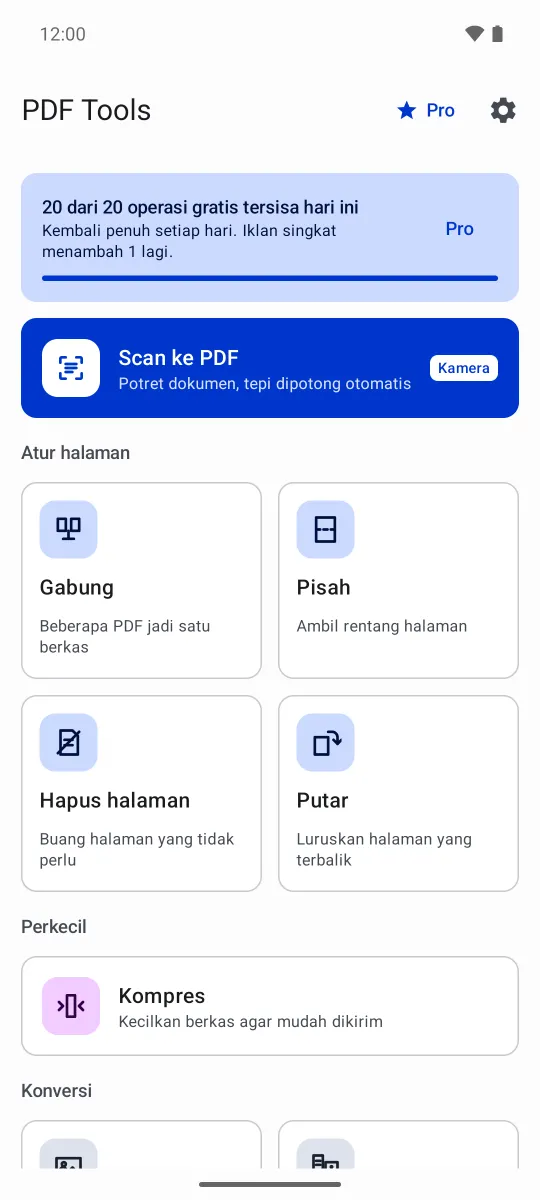
Built ten PDF tools that all run on the device: merge, split, remove pages, rotate, compress with a size estimate before it runs, photos to PDF and back, scanning through the camera, and locking or unlocking a password. Files arrive through the system picker and leave through save or the share sheet, so the app asks for no storage permission at all. One constraint shaped the rest of it: the promise that a document is "processed on this device" had to be provable, so there is no path inside the app that sends document content anywhere.
How it goes, screen by screen
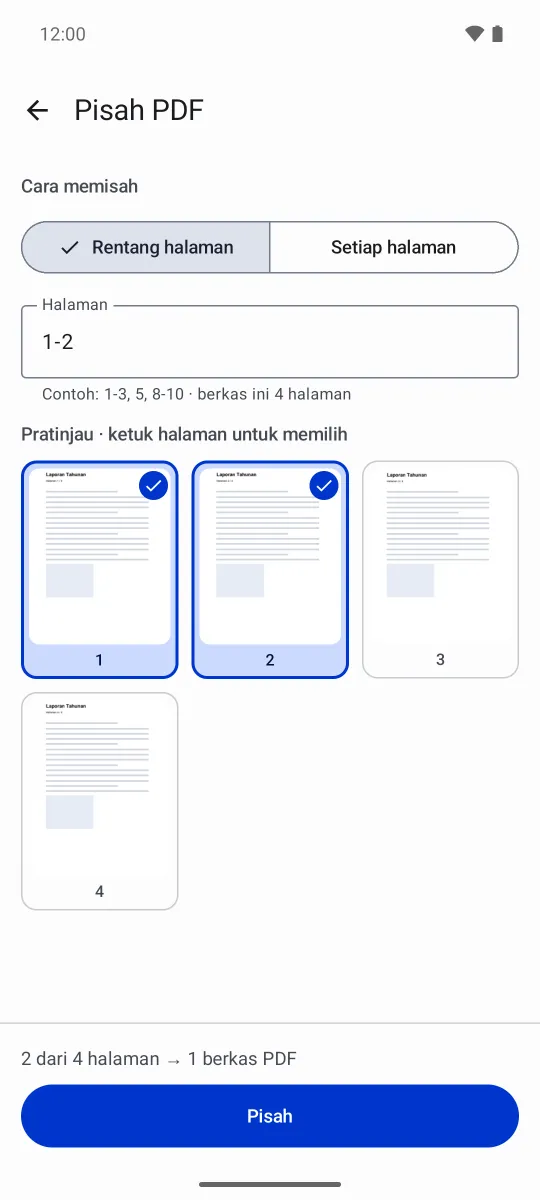
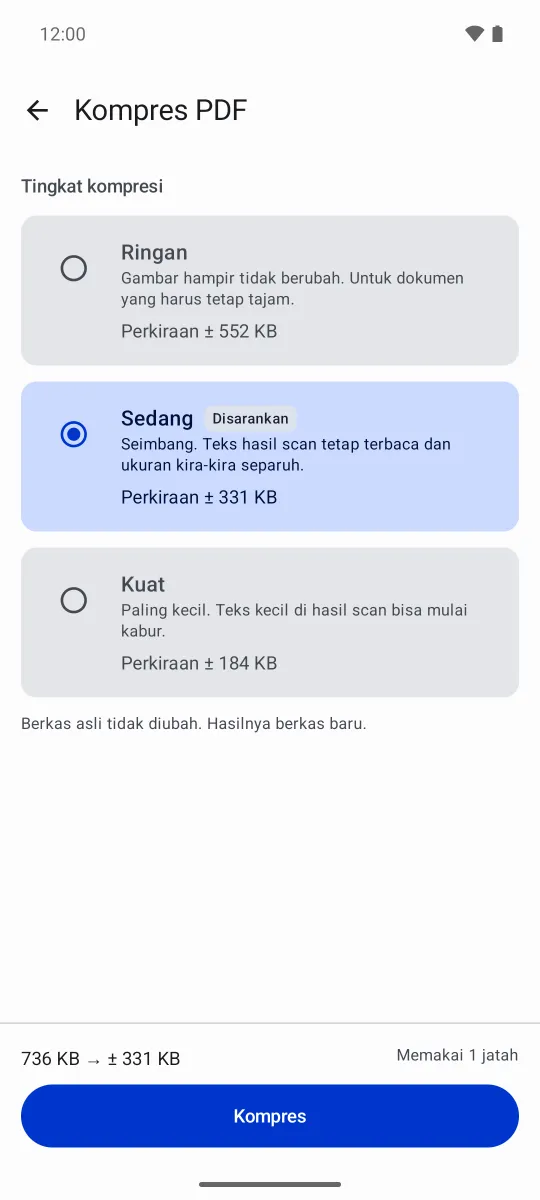
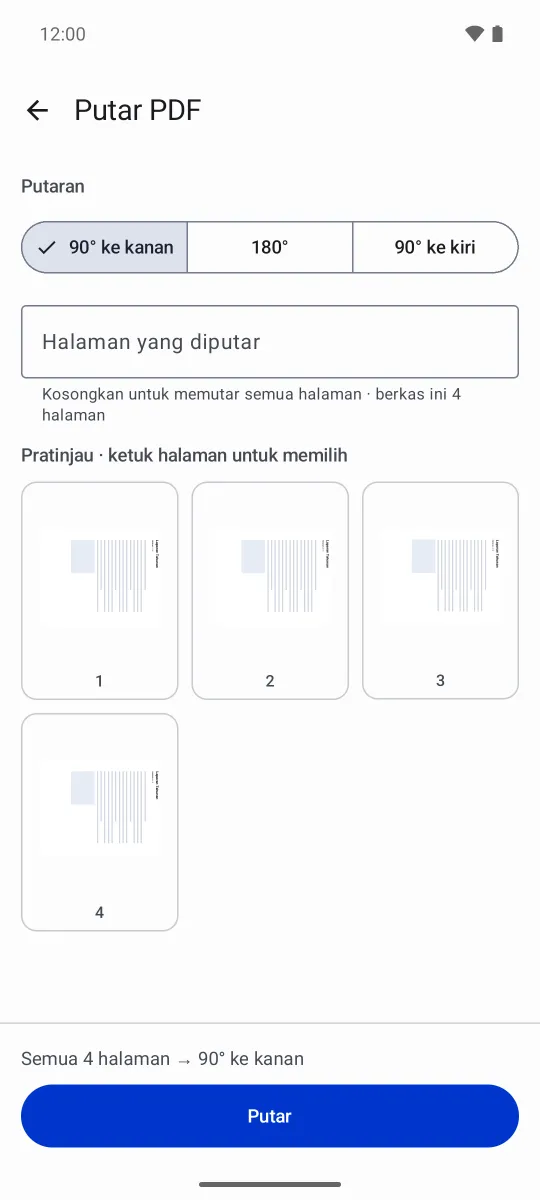
Every screen shows what is about to happen before the operation runs: which pages get taken, how small the result will be, which file comes first.
Swipe to see more screens →
Ten tools, one rule
All of them run on the PDF engine that ships inside the app, so not one of them needs an upload.
Tools in groups
The ten tools sit under four headings — organise, shrink, convert, secure — so the one you want isn't a guess from its name.
Split and tidy up
Take a range like 1-3, 5, break a file into one PDF per page, or drop the pages you don't need.
An estimate first
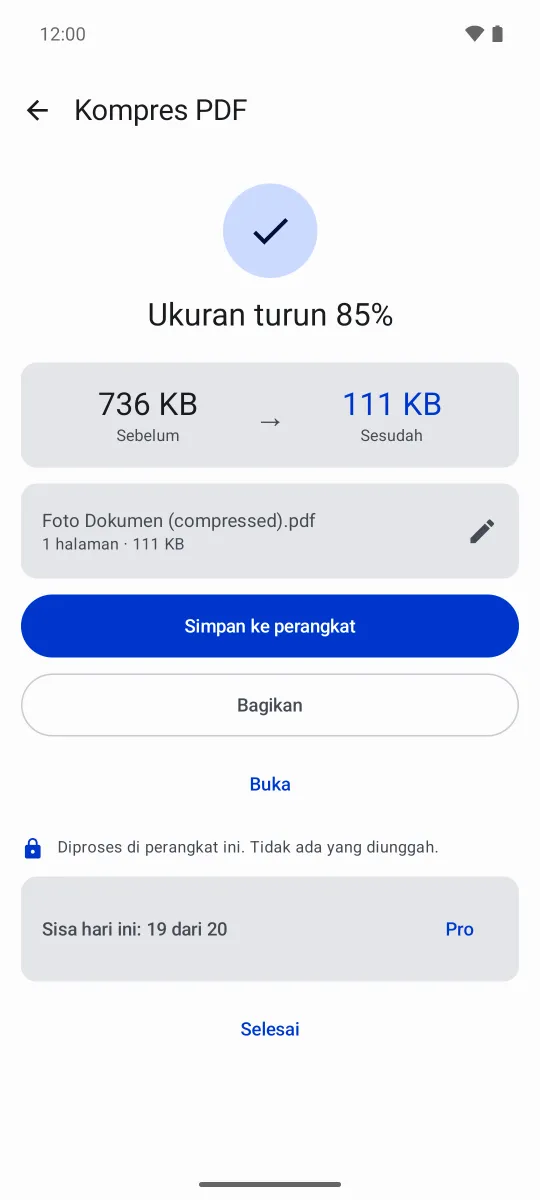
Three compression levels, each carrying its own size estimate, and the original file is never touched.
Merge in your order
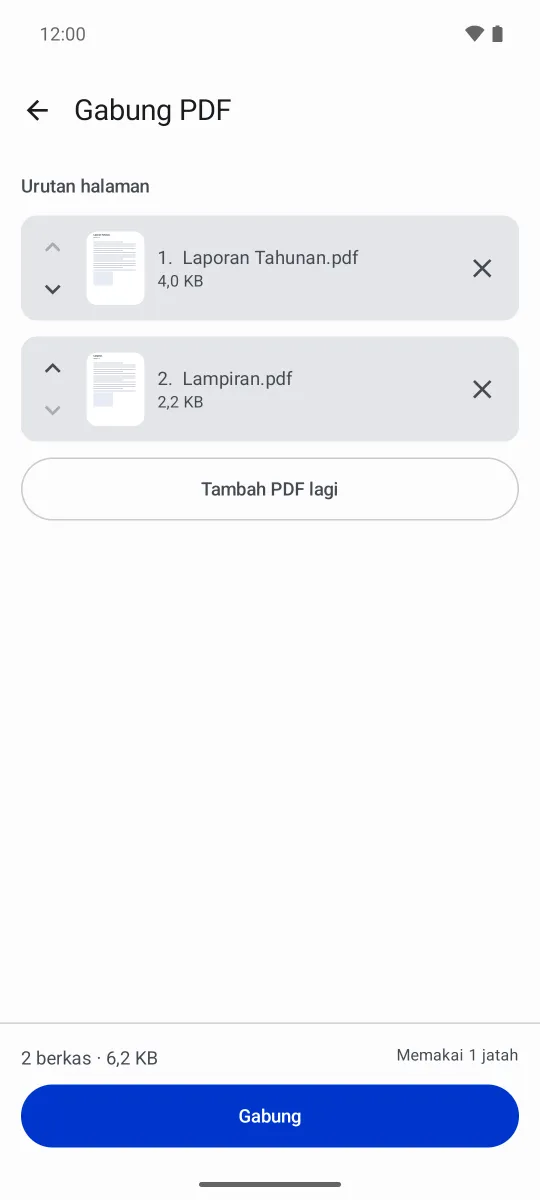
Arrange the files with the up and down buttons, check their first pages, then merge them into one PDF.
Lock and unlock
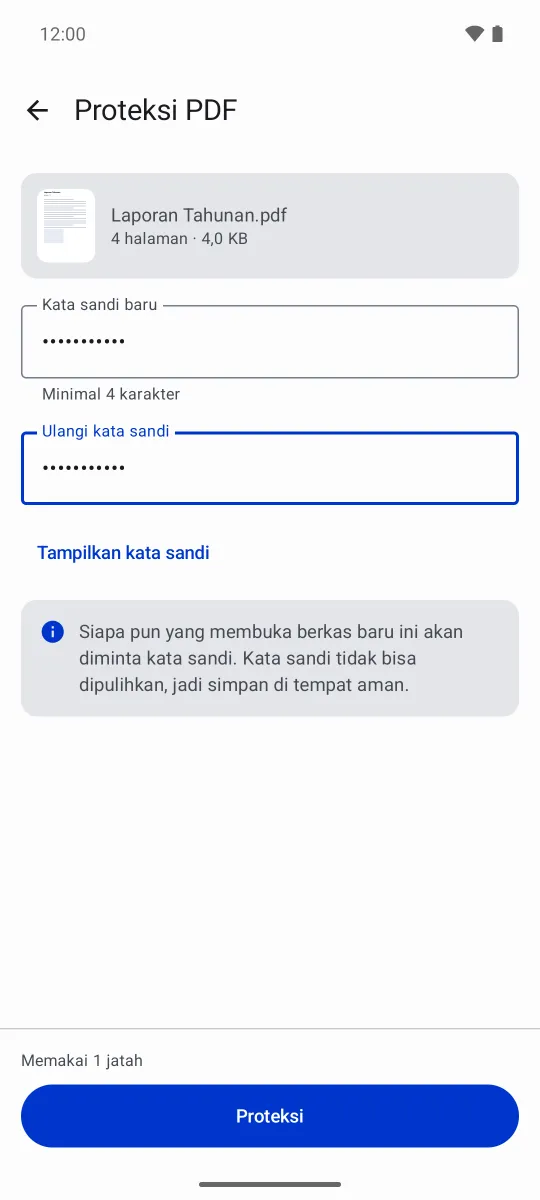
Put an AES password on a copy of a document, or take off a password you already know. The password is never stored.
Camera and gallery
Scan a document with the edges found for you, or turn gallery photos into one PDF in the order you choose.
The numbers behind it
How much it covers, what the free tier allows, and what keeps it correct.
PDF tools
10/ 4 groups
Merge, split, remove pages, rotate, compress, photos→PDF, PDF→images, scan, protect, unlock.
Daily allowance
20free operations
It refills every day, and one rewarded ad adds one more operation.
JVM tests
91tests
The page-range parser, output file naming and the quota rules are tested without an emulator.
What leaves the device, and what doesn't
Document content is never one of them.
- No account, no login. Open the app and start using it.
- Documents are processed on this device. The PDF engine ships inside the app; no document content is sent to any server.
- No storage permission. Files come in through the system picker and are saved wherever you point it.
- Passwords are used on the device only. A password locks or opens that file there and then, and is forgotten afterwards — never stored, never sent.
- The connection is used for two things: loading ads, and downloading the scanner component from Google Play services the first time it is used.
- No analytics or crash-reporting SDK. The release build uses empty implementations; there is no Firebase and no third-party tracker.
- Ads are served by Google AdMob. As a third party, AdMob accesses the device's Advertising ID.
Before you look for it on Play
The app is not on Google Play yet. The listing and its assets are ready, but the release hasn't been submitted — which is why this page has no download button.
The figures on the compression result screenshot (736 KB down to 111 KB) come from one sample file. How much smaller a document gets depends heavily on what is inside it: a scanned PDF can drop a long way, a text-only PDF barely moves.
PDF Tools is the third app in my apps factory, and the first to use two new core modules: one for file traffic through the system picker, and one for operations that run for a few seconds with progress and a cancel button that survives a rotation.
The decision that changed its shape most was the daily allowance. It started at three operations a day, so that rewarded ads would actually have a buyer. I raised it to twenty once it was clear that a quota wall an ordinary user runs into is the most expensive way to earn a single ad impression; now only genuinely heavy users meet the limit, and the reason to buy Pro moved from “the limit goes” to “the ads go”.
The PDF engine is PdfBox-Android under Apache-2.0 — an AGPL engine was ruled out from the start because this app is not open source. The document scanner uses ML Kit from Google Play services, which downloads its component the first time it is used. That is the only part that needs a connection, and the only footnote on the “processed on this device” line that the result screen shows.
The app’s privacy policy lives on its own page.